Why Is My Addressable LED Strip Not Working? Common Symptoms
When an addressable LED strip fails, the signs you see often show the main problem right away. Figuring out what your light setup does exactly saves time on wrong fixes and annoyance.
The Entire LED Strip Refuses to Turn On
If your digital LED tape stays fully dark, the problem often comes from the power source or the main data link. Make sure your power unit gives the right voltage. Also, check that the plus and minus ends connect firmly. Wrong polarity stops it at once and might ruin the first pixel for good. On top of that, look for broken fuses in your power unit.
Only Half or a Section of the Strip Lights Up
In business setups, a common case is when the first few feet glow just right, but the rest stay off. Addressable LED Strips depend on data that moves one way. Look at the tiny arrows on the PCB. Data has to go out from the controller. If the way is right, one bad IC chip in the center can stop the whole data line. Besides, confirm your software matches the real number of pixels in your setup.
The Addressable LED Strip is Flickering or Flashing Randomly
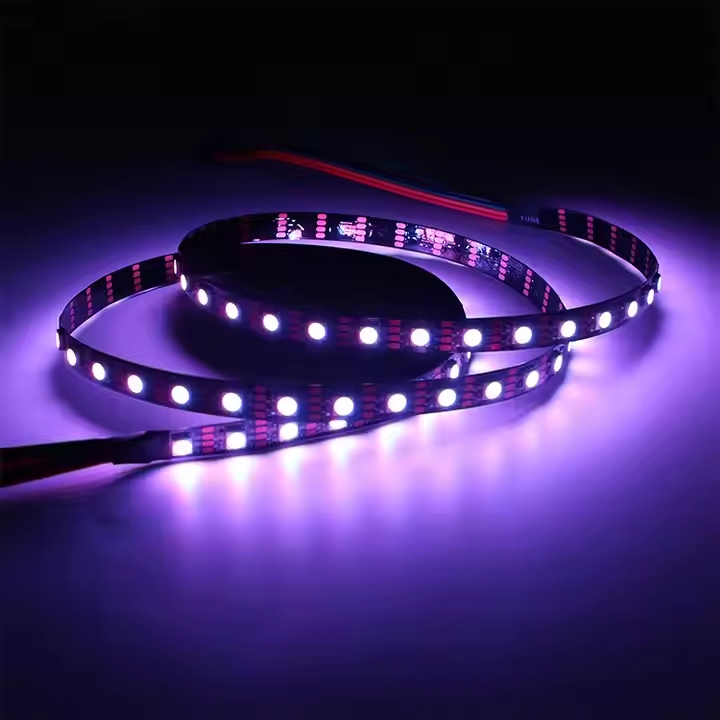
Unplanned flashing or odd color shifts often mean signal noise or shaky power. Data signals weaken over long distances. If your controller sits too far from the strip’s start, the data gets messed up before it reaches. Ground problems also show up as fast, wild blinking over the whole light group.
How to Fix Addressable LED Strip Power and Voltage Issues?
Power problems cause most light breakdowns in big buildings and show setups.
Diagnosing and Fixing Voltage Drop on Long Runs
Voltage drop happens when resistance in the copper PCB uses up power. This leaves pixels at the end short on energy. As a result, the far part of your strip looks much dimmer. Or it turns reddish when you set it to plain white.
Injecting Power at Both Ends or Middle Sections
To fight voltage drop, you must add power in big setups. Run extra power wires next to the strip. Connect them to the V+ and Ground spots every 5 meters. This refills the voltage. It keeps an even glow and true colors over the whole setup. You avoid straining the first copper lines.
Upgrading to 12V or 24V Addressable LED Strips
For business jobs with long straight runs, switching to higher voltage is the best way to stop issues. Items like SHIJILIGHTING SJ-10060-8208-12V GS8208 Pixel 60Leds Full Color Changing SMD5050 12mm Addressable Led Light Strip model use the GS8208 IC chip at DC12V. This cuts down on often-powerful ads. It also keeps two-signal send trust for steady work.
Matching the Correct Power Supply Capacity
A weak power source makes the system stop or restart at full light. Always figure the top watt usage for all your pixels. Then add 20% extra for safety. This spare room stops the power unit from getting too hot. It also ends power restarts during color shifts.
Troubleshooting Controller and Signal Connection Errors
The control part of your light system needs an exact setup to talk right to the LED chips.
Selecting the Right IC Type in Your Smart App
If your pixels light but show mixed colors or skip orders, the controller app probably picked the wrong IC type. For smooth handling, a flexible tool like SHIJILIGHTING SJ-SP105E magic controller works with nearly all one-wire or two-wire LED driver ICs. It lets you pick the right type and set up to 2048 pixels easily through its Bluetooth 4.0 link.
Establishing a Proper Common Ground Connection
When you use split power for the controller and LED strip, you must link a shared ground. Without tying the ground (GND) wire between the controller and the power source, the data signal misses a steady voltage base. This leads to wild flashing or no response to your orders.
Repairing Physical Damage on Your Addressable LED Strip
Stress or tough weather can harm the hardware directly.
How to Cut, Splice, and Replace Dead Pixels?
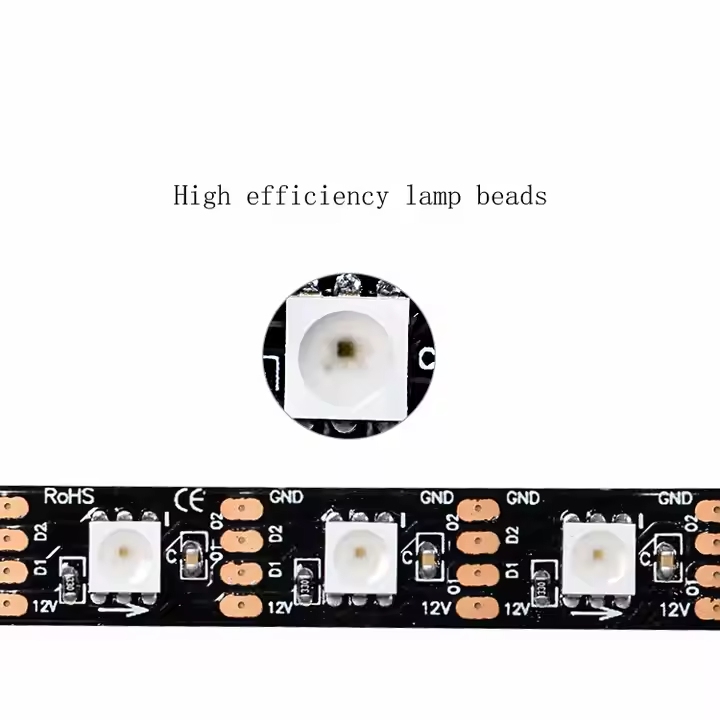
If one pixel fails, the full roll is not lost. Just cut straight on the set copper spots around the bad LED. Then solder a fresh part in place. Or use good snap links to join the gap. This brings back the data line fully.
Preventing and Fixing Outdoor Water Damage
Outside setups deal with constant weather hits. If water gets in the cover, it shorts the inside wires. For outer jobs, always seal the ends well with waterproof caps and strong silicone glue. This stops water entry and rust.
How to Avoid Addressable LED Strip Failures in Large Projects?
Smart planning ahead and good material picks are key to light nets that need no fixes.
Choosing Thicker PCB Boards for Better Heat Dissipation
Thin copper boards build heat fast. This causes early light part breakdowns and big voltage loss. Picking strips with wider copper PCBs gives good heat release. It also cuts electrical push-back. This boosts the light life a lot.
Partnering with a Reliable Commercial LED Manufacturer
Getting top materials first stops fixing troubles later. At SHIJILIGHTING, we aim to be the top seller and maker of pixel LEDs in the field. We build our goods with strict quality checks. We give a 2-year warranty for calm in your tough building jobs.
FAQ
Q: Why is my addressable LED strip showing the wrong colors?
A: This usually happens when the color order sequence (such as RGB versus GRB) is set incorrectly in your controller application. Navigate to your app’s hardware settings and test different color sequences until the red, green, and blue inputs display accurately on the lights.
Q: How do I fix a flickering addressable LED strip?
A: Flickering is most often caused by the lack of a common ground between your power supply and the controller. Ensure all ground wires are securely connected together. Alternatively, check if your data wire is too long, which can cause it to pick up electrical interference.
Q: Can I cut and reconnect an addressable LED strip if it stops working?
A: Yes, you can cut the strip exactly on the marked copper pads located between the pixels. If a section is damaged, simply remove the bad segment and rejoin the remaining strip using soldering or proper LED connectors, making sure the data directional arrows align perfectly.
Q: What causes my addressable LED strip to lose brightness at the end?
A: This issue is known as voltage drop, which is caused by the electrical resistance within the strip over long distances. To resolve it, you need to perform power injection by running additional power wires directly from your power supply to the middle or the far end of your lighting run.
Q: Why is my addressable LED strip not connecting to the controller app?
A: Connection issues typically stem from Bluetooth or Wi-Fi range limitations, or simply an incompatible application. Ensure your smartphone is within range, Bluetooth is enabled, and you are using the correct voltage to power the controller without triggering its internal safety shutdown.