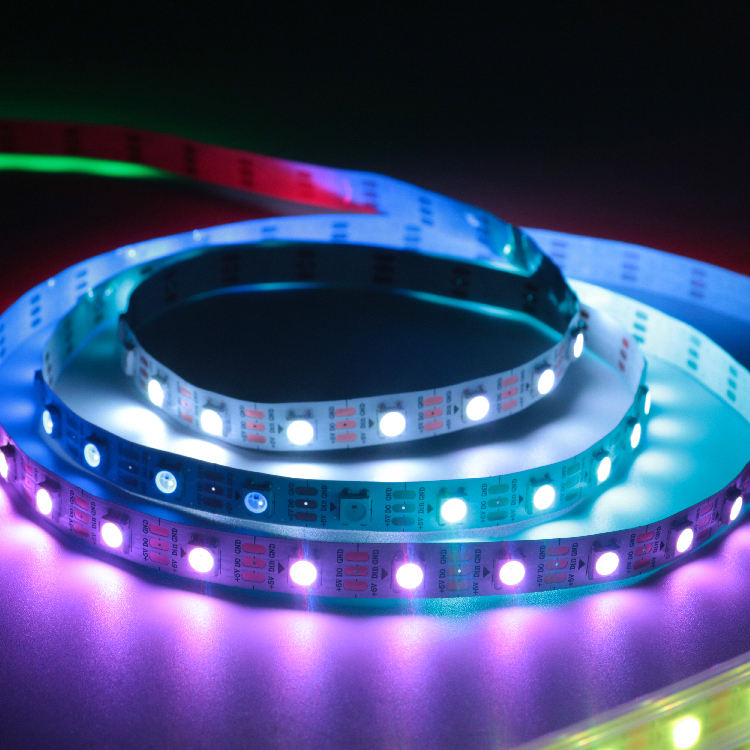
Few things spoil a well-planned lighting setup as much as a sudden strobe. If you work as an architectural lighting designer or an installation contractor, a flickering addressable LED strip creates an annoying problem that needs quick action. This full guide will assist you in spotting the main reasons, applying useful technical fixes, and seeing why part quality shapes project outcomes.
Are Your Addressable LED Strips Flickering? (Diagnosing the Symptoms)
Before you pull apart your wiring, it is important to watch the precise type of failure. The sight signs your programmable LED tape shows are the quickest tools for diagnosis you have at the work site.
Continuous Flashing vs. Random Color Glitches: What Do They Mean?
If your lights pulse on and off in a steady, ongoing rhythm, the setup is probably stuck in a power restart cycle. The power supply spots a problem—usually an overload—and shuts off. Then it starts again. On the other hand, if the lights show uneven, fast color shifts or “sparkling” spots you did not set, you face a data signal mix-up almost for sure.
Does the Entire LED Strip Flicker or Just the Tail End?
Location matters. If the first few meters of your run operate perfectly but the LEDs toward the end begin to dim, shift to a yellowish hue, and eventually flicker, you are experiencing localized power starvation. However, if the entire run is behaving erratically simultaneously, the fault originates at the source, which is either the master controller or the primary power delivery unit.
What Causes an Addressable LED Strip to Flash or Flicker?
Grasping the basic science of your lighting setup is the main way to stop these problems before they occur on site.
Voltage Drop and Inadequate Power Supply Capacity
Addressable LEDs pull a lot of current, mainly when they show full white light. As power moves along the copper paths of the PCB, normal resistance makes the voltage fall. A 5V system faces this easily. At SHIJILIGHTING, we design our 5V SK6812 3535 RGBW LED Strip Series with strong copper PCBs on purpose. This cuts down on this exact voltage loss over long business lines. But if you use low-cost strips with slim copper, your strained power supply cannot give a steady DC voltage. As a result, you get a quick flicker.
Poor Connections, Loose Wiring, and Solder Issues
Shaking, heat growth, and hurried setups often cause weak links. A slack ground wire or a weak solder spot adds high resistance to the path. When the data or power flow goes through this tight spot, the link sparks tiny bits. This appears as a flicker.
Controller Malfunctions and Data Signal Interference
The data line picks up electromagnetic interference (EMI) easily. If your data cable runs next to high-voltage AC lines, the magnetic pull can add unwanted signals to your addressable LED strip. Also, if the gap between the controller and the first pixel is too wide, the digital signal weakens. This mixes up the inner ICs and leads to wild color flashing.
How to Fix a Flickering Addressable LED Strip: Quick Troubleshooting Steps
With the signs spotted, you can use these aimed technical fixes to steady your lighting setup.
Step 1: How to Test and Upgrade Your LED Power Supply?
Take your multimeter and check the voltage at the output ends of your PSU. Then check it again at the start of the strip. If the voltage drops under load, your PSU lacks power. Always figure the top possible pull of your setup and add a 20% extra room. Switching to a higher-current power supply often fixes overall pulsing right away.
Step 2: Implementing Power Injection for Long LED Strip Runs
You cannot push 5V through 10 meters of copper without injection. Run heavy-gauge parallel power wires directly from your PSU and splice them into the LED tape every 3 to 5 meters. By feeding power to the middle and end of the run, you eliminate voltage drop and the associated tail-end flickering.
Step 3: Securing Connectors and Shielding Your Data Lines
Eliminate cheap clip-on connectors in favor of robust, weatherproof soldered joints protected by heat shrink tubing. When upgrading a failing outdoor installation, we often supply our clients with our Outdoor Programmable Flexible Strip Light RGB DC5V SK6812 Addressable LED Strip. Its premium IP65 to IP68 waterproof silicone extrusion protects sensitive data connections and solder joints from moisture, permanently eliminating weather-induced signal interference.
DIY vs. Commercial Grade: Which Addressable LED Strip is Right for Your Project?
While low-cost, nameless LED rolls may work for a bedroom roof, they pose a big risk for business setups. The true expense of a lighting project is not the parts. It is the work needed to check and swap them.
The Hidden Maintenance Costs of Low-Quality LED Components
Low-cost strips use slim 1oz copper PCBs that get too hot and worsen voltage fall. They also have lower-grade IC chips with weak update speeds. This makes them likely to flicker on camera or in tough building setups. Going back to a work site with a lift to swap a burned part costs far more than the first part savings.
Key Technical Features to Look for in Reliable Pixel Strips
For pro steadiness, seek thicker PCBs that manage heat removal well. Choose strips with gold-wire linked LEDs, built-in spare data lines, and strict waterproof levels using good materials. Avoid cheap, fading epoxy.
Why Professionals Trust SHIJILIGHTING for Long-Term Project Stability
At SHIJILIGHTING, we know your standing depends on perfect work. Since 2010, we have focused on studying and building top digital LED Strips. We stress steadiness, output, and color match. We back our quality and give a full 2-year warranty on our products. This brings calm to your key engineering projects.
FAQ
Q: Why does my addressable LED strip flicker only at the end of the roll?
A: This usually comes from a voltage fall. As the electric current moves along the strip length, the resistance in the copper path lowers the voltage. By the time power hits the tail end, there is not enough force to run the LEDs correctly. This makes them flicker or turn red. Adding a power feed to the end of the line will fix it.
Q: How can I stop my addressable LED strip from flashing random colors?
A: Uneven, wild color flashing is nearly always a data signal problem, not a power one. It shows that the control signal gets mixed up by electromagnetic interference, or the gap from the controller is too long. Make sure your ground links are firm. Use a shielded data wire. Try adding a resistor on the data line near the first pixel.
Q: How many power injections are needed to prevent an addressable LED strip from flickering?
A: The number of power feeds depends on the working voltage. For 5V setups, inject power every 3 to 5 meters. For 12V setups, injecting every 5 to 10 meters often works. 24V setups can usually run up to 10-15 meters before needing a second power line.
Q: Can a cheap or failing power supply cause my addressable LED strip to flicker?
A: Yes, for sure. If a power supply is low quality or its total wattage is less than what the lighting setup needs at full light, the unit will fight to keep a steady DC voltage. The voltage changes that follow will make the whole setup strobe or pulse.
Q: Do I need a resistor or a capacitor to fix a flickering addressable LED strip?
A: In many situations, yes. Placing a capacitor across the positive and negative power ends evens out quick power jumps when lights turn on. This guards the pixels. Also, a small resistor on the data line between the controller and the first LED stops data signal bounce. That bounce often causes fast flickering.